> ## Documentation Index
> Fetch the complete documentation index at: https://langchain-zh.cn/llms.txt
> Use this file to discover all available pages before exploring further.
# 内联标注追踪和运行记录
LangSmith 允许您在应用内手动为追踪记录添加反馈标注。这有助于为追踪记录添加上下文信息,例如用户评论或针对特定问题的备注。
您可以通过内联方式标注追踪记录,也可以将追踪记录发送至标注队列,从而逐一仔细检查并记录对运行记录的反馈。
反馈标签与您的[工作区](/langsmith/administration-overview#workspaces)相关联。
**您可以将用户反馈附加到追踪记录中的任意中间运行步骤(跨度),而不仅仅是根跨度。**
这对于评估LLM应用的特定部分非常有用,例如RAG流水线中的检索步骤或生成步骤。
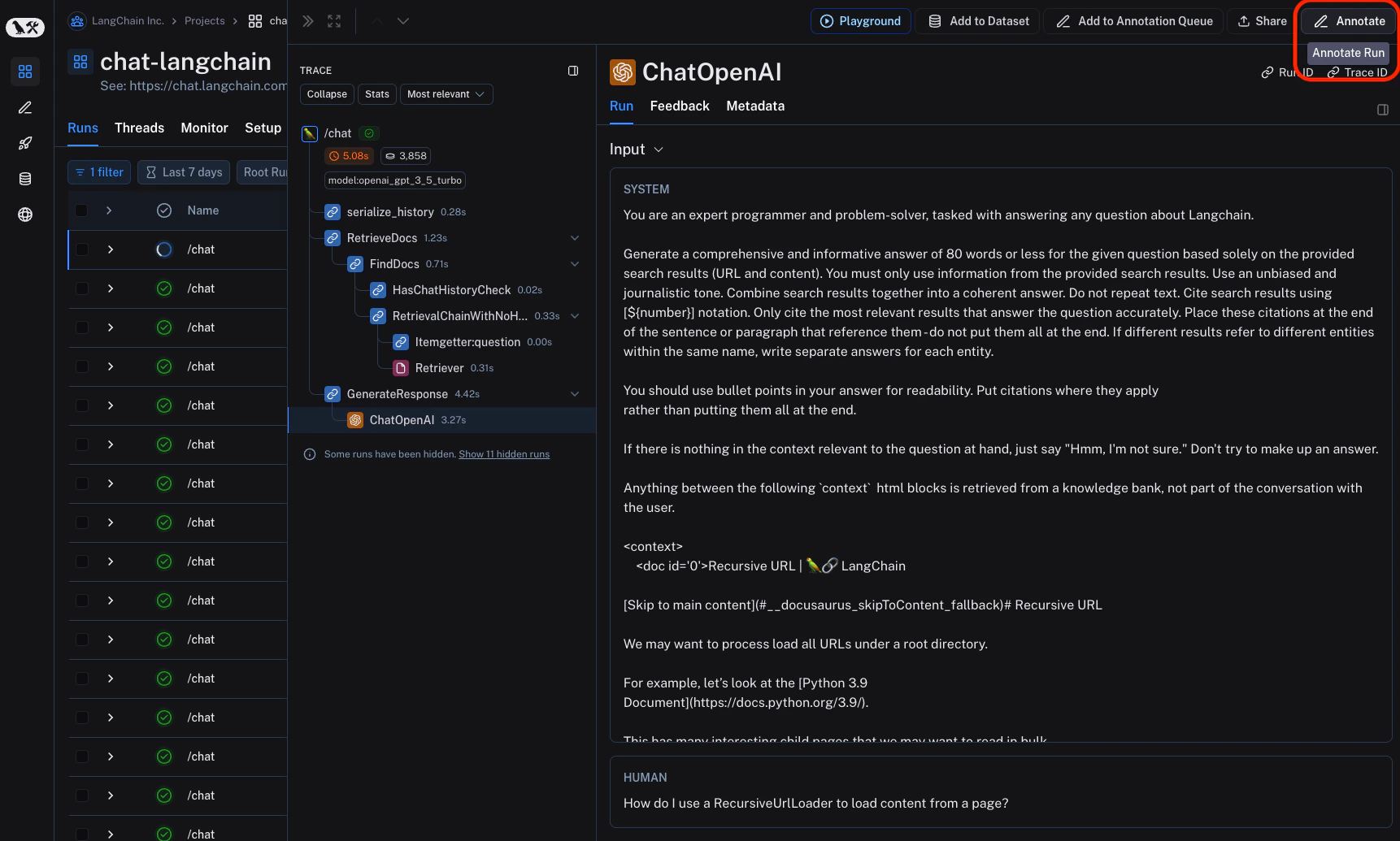
要进行内联标注,请在追踪视图中点击任意特定运行记录右上角的`标注`按钮。
 这将打开一个侧边面板,您可以选择与工作区关联的反馈标签,并为特定标签添加评分。您还可以添加独立的评论。请按照[设置反馈标准](/langsmith/set-up-feedback-criteria)为工作区设置反馈标签。
您也可以直接在侧边面板内设置新的反馈标准。
这将打开一个侧边面板,您可以选择与工作区关联的反馈标签,并为特定标签添加评分。您还可以添加独立的评论。请按照[设置反馈标准](/langsmith/set-up-feedback-criteria)为工作区设置反馈标签。
您也可以直接在侧边面板内设置新的反馈标准。
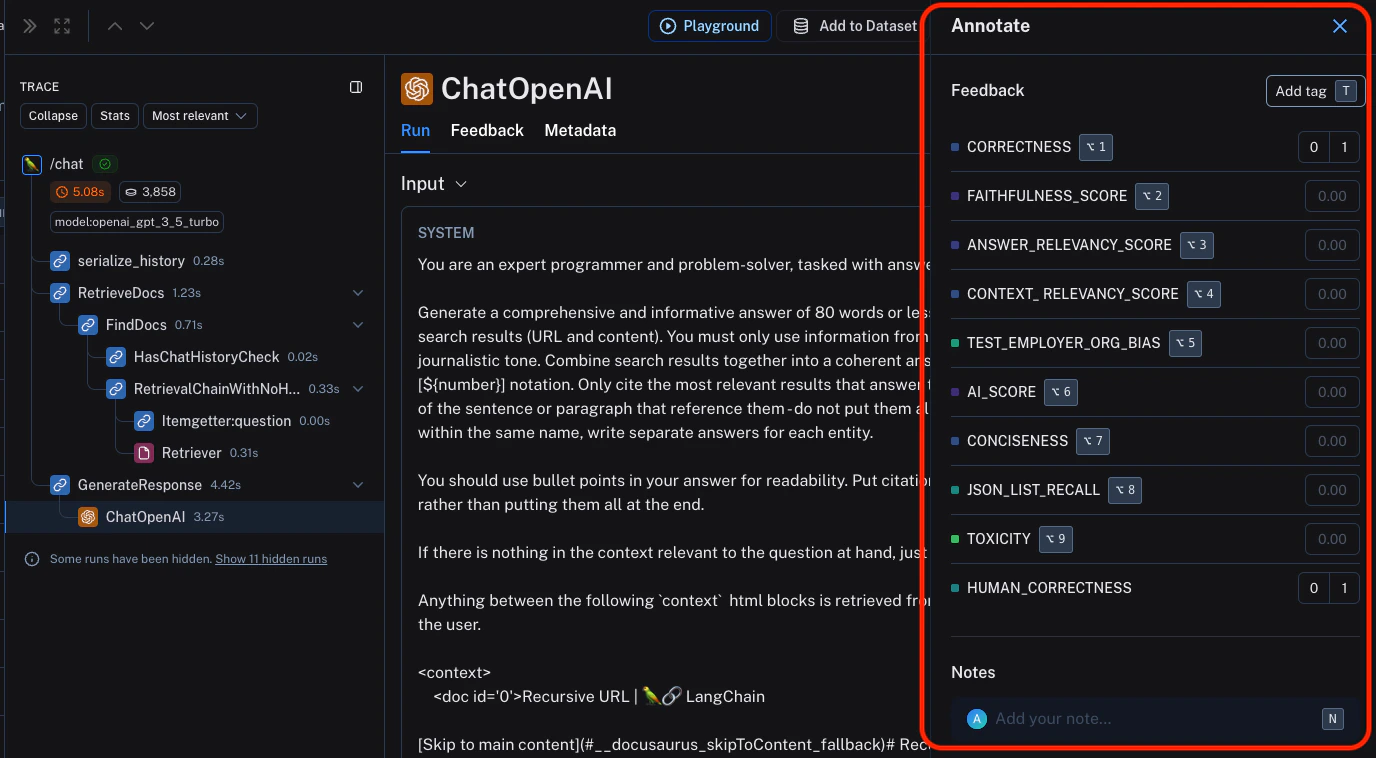 您可以使用标注的键盘快捷键来简化标注流程。
***
您可以使用标注的键盘快捷键来简化标注流程。
***
[Edit this page on GitHub](https://github.com/langchain-ai/docs/edit/main/src/i18n\zh-CN\langsmith\annotate-traces-inline.mdx) or [file an issue](https://github.com/langchain-ai/docs/issues/new/choose).
[Connect these docs](/use-these-docs) to Claude, VSCode, and more via MCP for real-time answers.