> ## Documentation Index
> Fetch the complete documentation index at: https://langchain-zh.cn/llms.txt
> Use this file to discover all available pages before exploring further.
# 如何审核评估器评分
LLM 作为评估器并不总是正确的。因此,人工手动审核评估器给出的评分并在必要时进行修正通常很有帮助。LangSmith 允许您在界面或 SDK 中对评估器评分进行修正。
## 在对比视图中
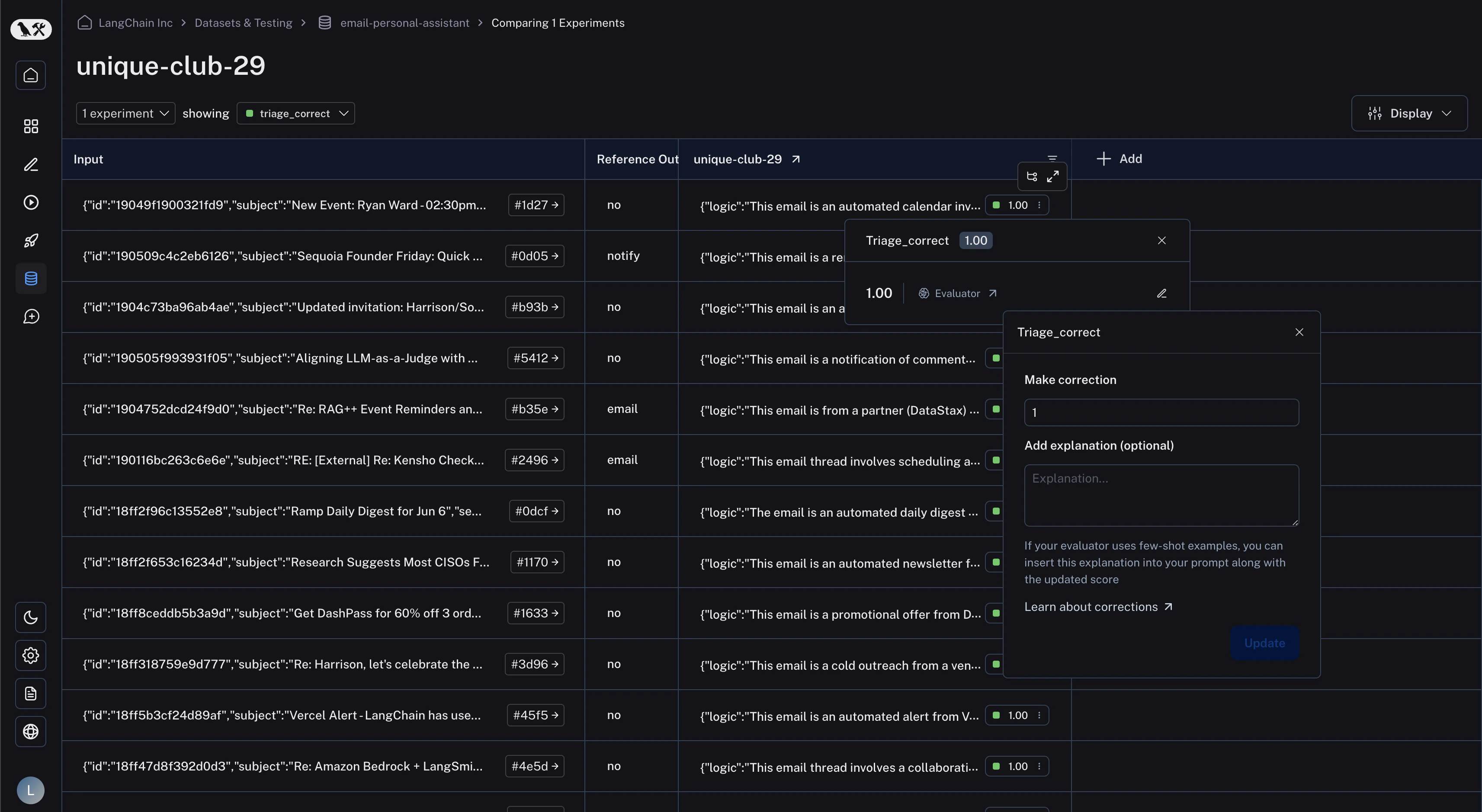
在对比视图中,您可以点击任意反馈标签以查看反馈详情。然后点击右侧的“编辑”图标,即可进入修正视图。您可以在“进行修正”下方的文本框中输入您期望的评分。如果需要,您还可以为修正附加说明。这在您使用[小样本评估器](/langsmith/create-few-shot-evaluators)时特别有用,该说明会自动替换 `few_shot_explanation` 提示变量,并插入到您的小样本示例中。
 ## 在运行表格中
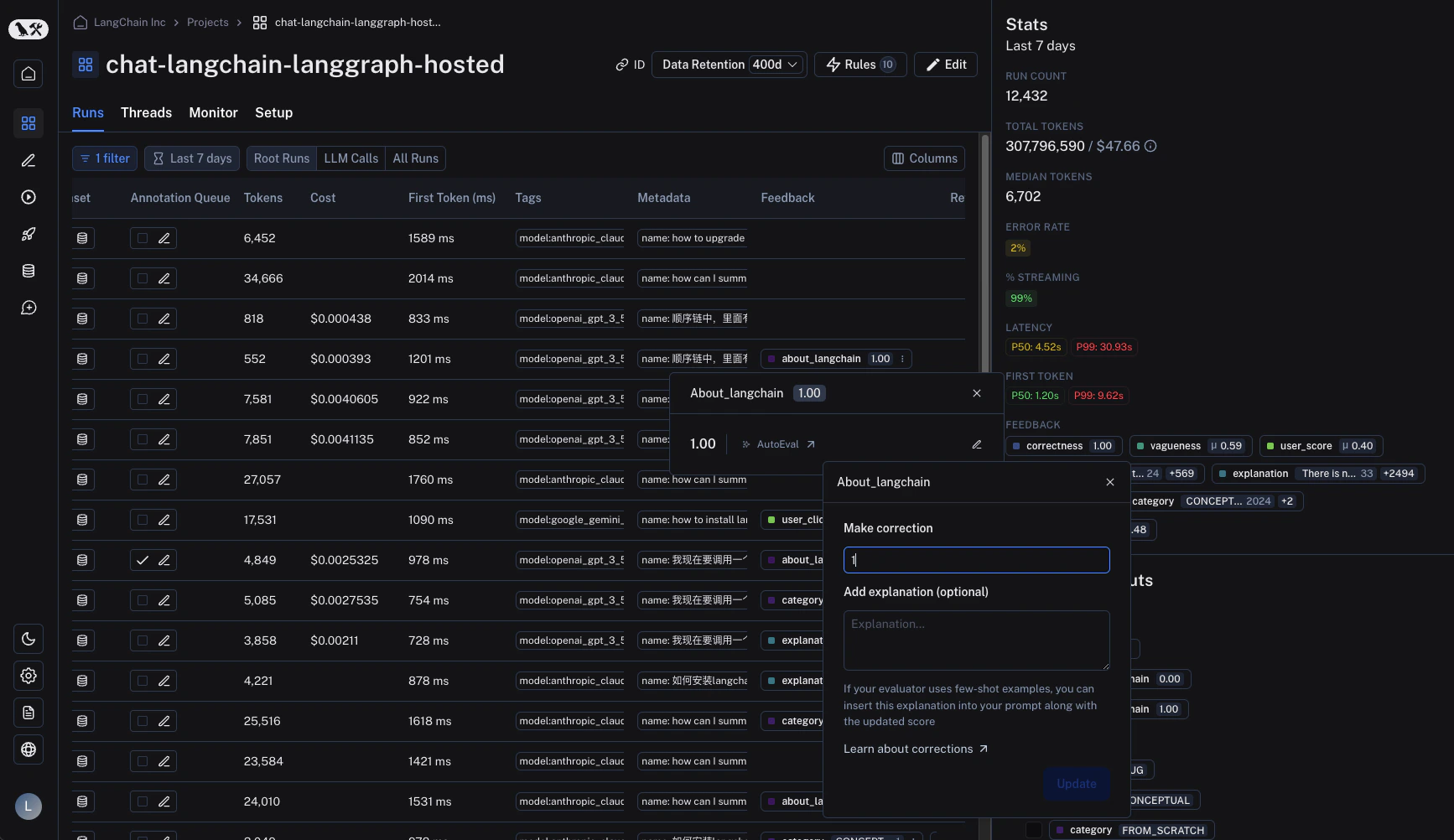
在运行表格中,找到“反馈”列并点击反馈标签以查看反馈详情。同样,点击右侧的“编辑”图标即可进入修正视图。
## 在运行表格中
在运行表格中,找到“反馈”列并点击反馈标签以查看反馈详情。同样,点击右侧的“编辑”图标即可进入修正视图。
 ## 在 SDK 中
可以通过 SDK 的 `update_feedback` 函数配合 `correction` 字典进行修正。您必须指定一个 `score` 键,其对应一个数值,以便在界面中正确显示。
```python Python theme={"theme":{"light":"catppuccin-latte","dark":"catppuccin-mocha"}}
import langsmith
client = langsmith.Client()
client.update_feedback(
my_feedback_id,
correction={
"score": 1,
},
)
```
```typescript TypeScript theme={"theme":{"light":"catppuccin-latte","dark":"catppuccin-mocha"}}
import { Client } from 'langsmith';
const client = new Client();
await client.updateFeedback(
myFeedbackId,
{
correction: {
score: 1,
}
}
)
```
***
## 在 SDK 中
可以通过 SDK 的 `update_feedback` 函数配合 `correction` 字典进行修正。您必须指定一个 `score` 键,其对应一个数值,以便在界面中正确显示。
```python Python theme={"theme":{"light":"catppuccin-latte","dark":"catppuccin-mocha"}}
import langsmith
client = langsmith.Client()
client.update_feedback(
my_feedback_id,
correction={
"score": 1,
},
)
```
```typescript TypeScript theme={"theme":{"light":"catppuccin-latte","dark":"catppuccin-mocha"}}
import { Client } from 'langsmith';
const client = new Client();
await client.updateFeedback(
myFeedbackId,
{
correction: {
score: 1,
}
}
)
```
***
[Edit this page on GitHub](https://github.com/langchain-ai/docs/edit/main/src/i18n\zh-CN\langsmith\audit-evaluator-scores.mdx) or [file an issue](https://github.com/langchain-ai/docs/issues/new/choose).
[Connect these docs](/use-these-docs) to Claude, VSCode, and more via MCP for real-time answers.