> ## Documentation Index
> Fetch the complete documentation index at: https://langchain-zh.cn/llms.txt
> Use this file to discover all available pages before exploring further.
# 连接到兼容 OpenAI 的模型提供商/代理
Playground 允许你使用任何符合 OpenAI API 规范的模型。你可以通过在 Playground 中设置代理提供商来使用你的模型。
## 部署兼容 OpenAI 的模型
许多提供商提供兼容 OpenAI 的模型或代理服务。一些例子包括:
* [LiteLLM 代理](https://github.com/BerriAI/litellm?tab=readme-ov-file#quick-start-proxy---cli)
* [Ollama](https://ollama.com/)
你可以使用这些提供商来部署你的模型,并获得一个符合 OpenAI API 规范的 API 端点。
查看完整的[规范](https://platform.openai.com/docs/api-reference/chat)以获取更多信息。
## 在 Playground 中使用模型
一旦你部署了模型服务器,就可以在 [Playground](/langsmith/prompt-engineering-concepts#playground) 中使用它。
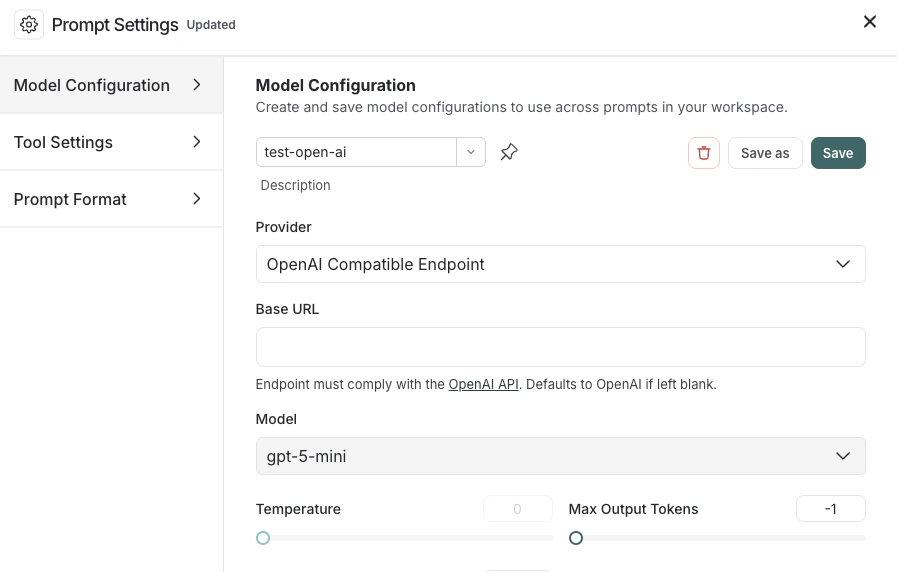
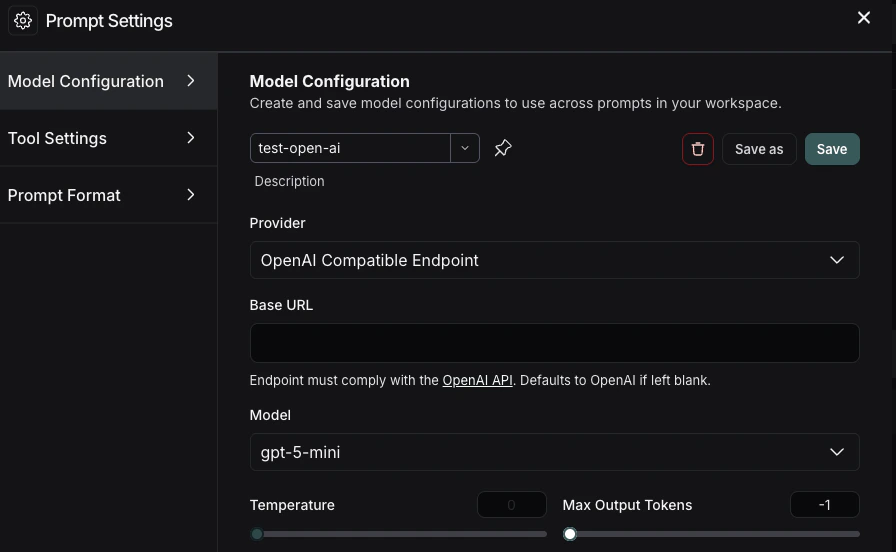
要访问 **提示设置** 菜单:
1. 在 **Prompts** 标题下,选择模型名称旁边的齿轮 图标。
2. 在 **模型配置** 标签页中,从下拉菜单中选择要编辑的模型。
3. 在 **提供商** 下拉菜单中,选择 **OpenAI 兼容端点**。
4. 将你的 OpenAI 兼容端点添加到 **基础 URL** 输入框中。示例请参见[基础 URL 格式](#base-url-format)。
如果一切设置正确,你应该能在 Playground 中看到模型的响应。你也可以使用此功能来调用下游流水线。
有关如何存储模型配置的信息,请参阅[配置提示设置](/langsmith/managing-model-configurations)。
## 基础 URL 格式
**基础 URL** 应指向你的 OpenAI 兼容 API 服务器的根目录。
LangSmith 会自动附加 `/chat/completions`——请勿将其包含在基础 URL 中。
### 基础 URL 示例
| 提供商 | 示例基础 URL |
| ----------------------------------------------------- | ---------------------------------------- |
| [Ollama](https://ollama.com/) (本地) | `http://localhost:11434/v1` |
| [LiteLLM 代理](https://github.com/BerriAI/litellm) (本地) | `http://localhost:4000` |
| [vLLM](https://docs.vllm.ai/) (本地) | `http://localhost:8000/v1` |
| 自托管 (远程) | `https://my-model-server.example.com/v1` |
支持自定义路径前缀。如果你的服务器在 `/api/v2/chat/completions` 路径下提供补全服务,
请将基础 URL 设置为 `https://my-server.example.com/api/v2`。
***
[Edit this page on GitHub](https://github.com/langchain-ai/docs/edit/main/src/i18n\zh-CN\langsmith\custom-openai-compliant-model.mdx) or [file an issue](https://github.com/langchain-ai/docs/issues/new/choose).
[Connect these docs](/use-these-docs) to Claude, VSCode, and more via MCP for real-time answers.