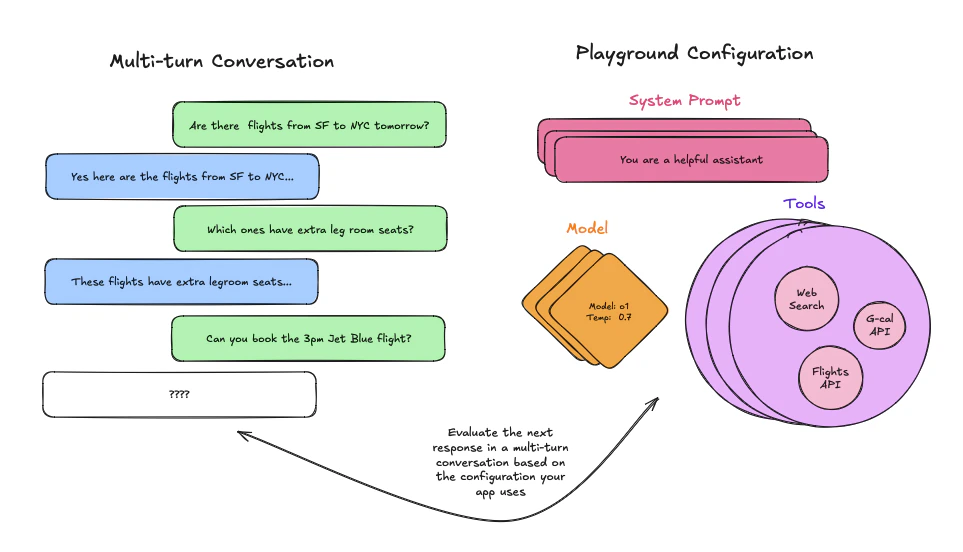
 ## 从现有运行记录开始
首先,请确保您已正确[追踪](/langsmith/observability)多轮对话,然后导航到您的追踪项目。进入追踪项目后,只需打开运行记录,选择 LLM 调用,并按以下方式在 Playground 中打开:
## 从现有运行记录开始
首先,请确保您已正确[追踪](/langsmith/observability)多轮对话,然后导航到您的追踪项目。进入追踪项目后,只需打开运行记录,选择 LLM 调用,并按以下方式在 Playground 中打开:
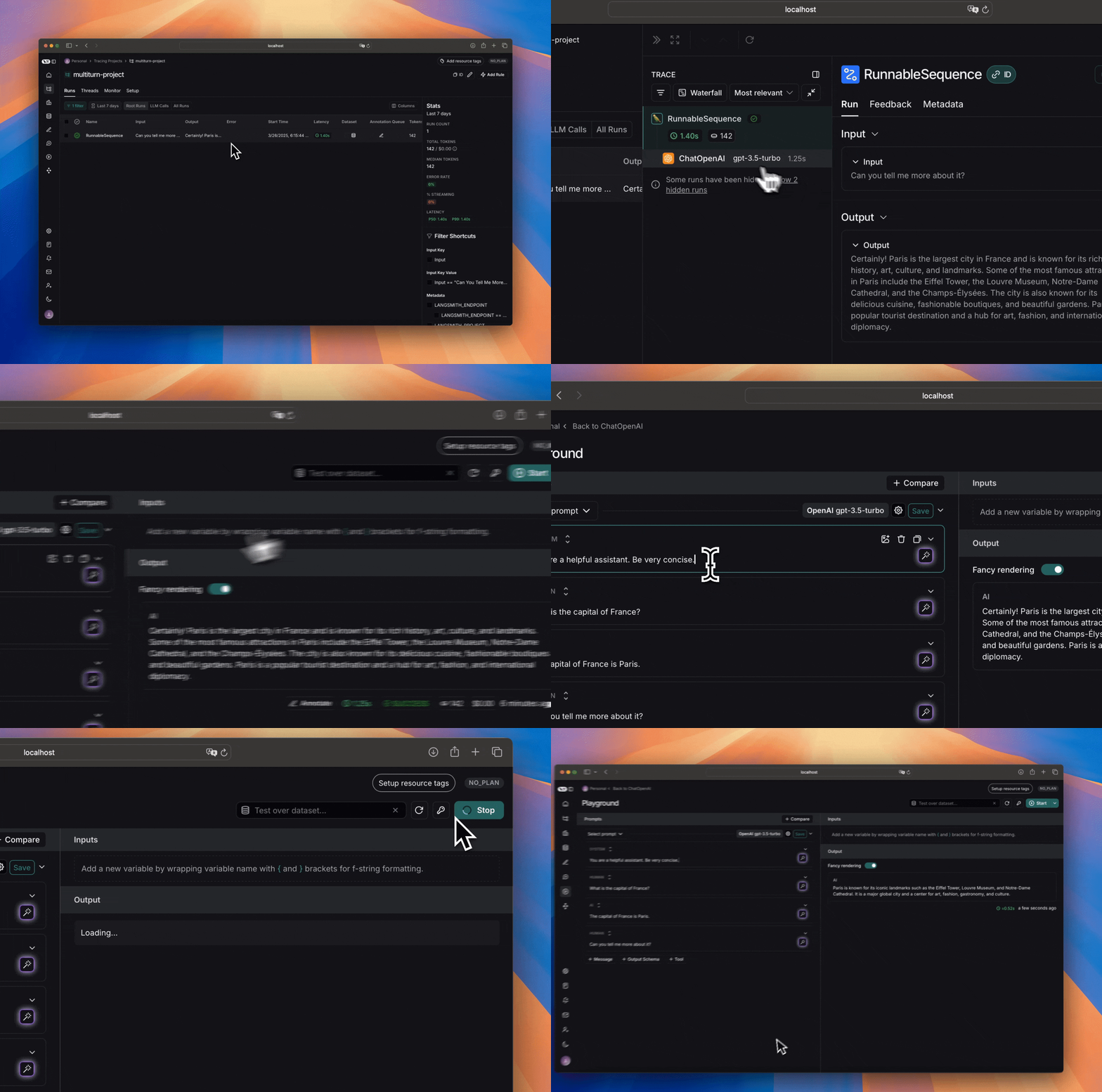 随后,您可以编辑系统提示、调整工具和/或输出模式,并观察多轮对话的输出如何变化。
## 从数据集开始
开始之前,请确保您已[设置好数据集](/langsmith/manage-datasets-in-application)。由于您要评估多轮对话,请确保输入数据中有一个包含消息列表的键。
创建数据集后,前往 Playground 并[加载您的数据集](/langsmith/manage-datasets-in-application#from-the-playground)进行评估。
接着,在提示中添加一个消息列表变量,确保其名称与输入数据中包含消息列表的键名一致:
随后,您可以编辑系统提示、调整工具和/或输出模式,并观察多轮对话的输出如何变化。
## 从数据集开始
开始之前,请确保您已[设置好数据集](/langsmith/manage-datasets-in-application)。由于您要评估多轮对话,请确保输入数据中有一个包含消息列表的键。
创建数据集后,前往 Playground 并[加载您的数据集](/langsmith/manage-datasets-in-application#from-the-playground)进行评估。
接着,在提示中添加一个消息列表变量,确保其名称与输入数据中包含消息列表的键名一致:
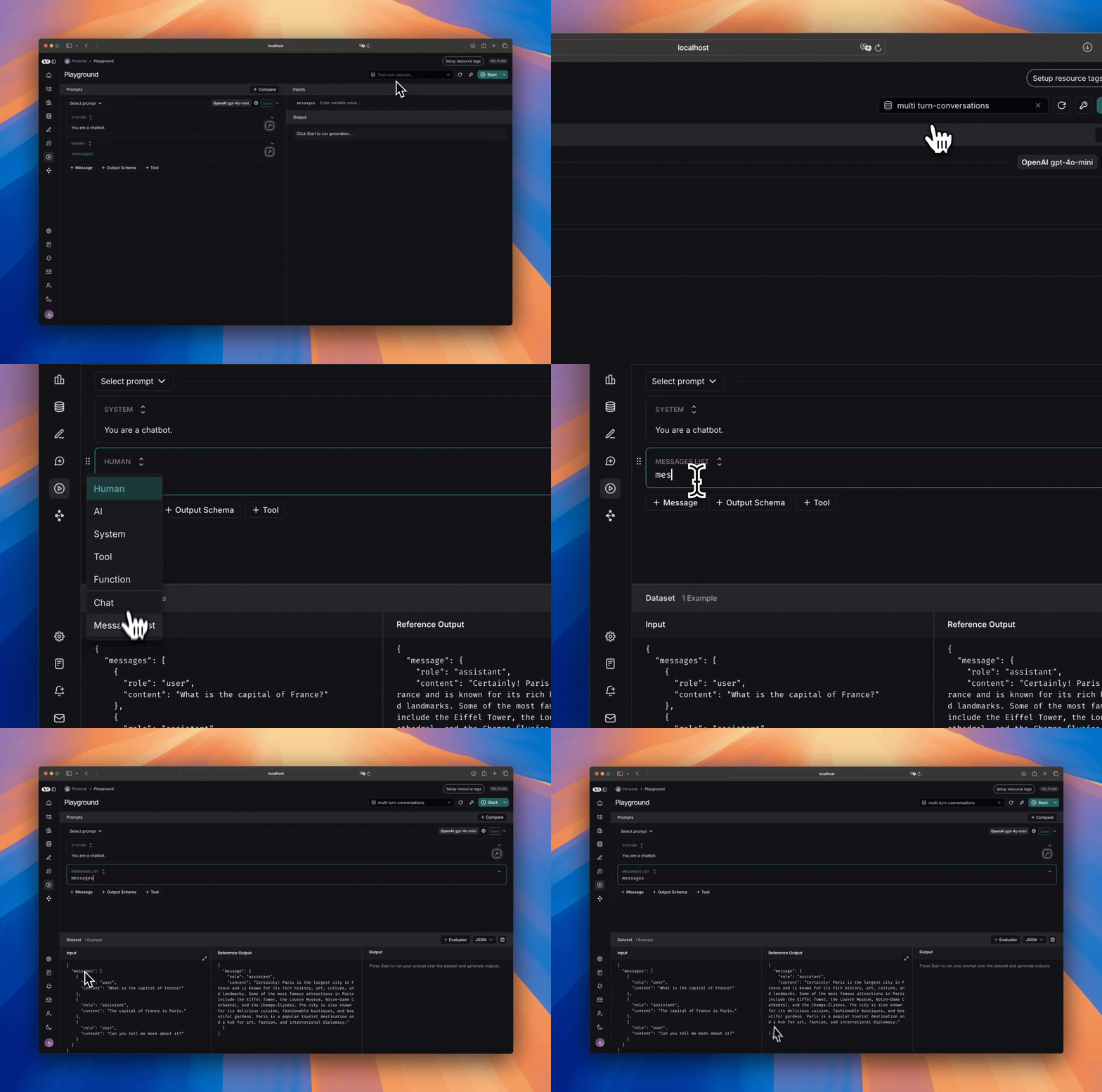 当您运行提示时,每个示例中的消息将作为列表替换“消息列表”变量。
## 手动创建
手动创建多轮对话有两种方式。第一种是直接在提示中追加消息:
当您运行提示时,每个示例中的消息将作为列表替换“消息列表”变量。
## 手动创建
手动创建多轮对话有两种方式。第一种是直接在提示中追加消息:
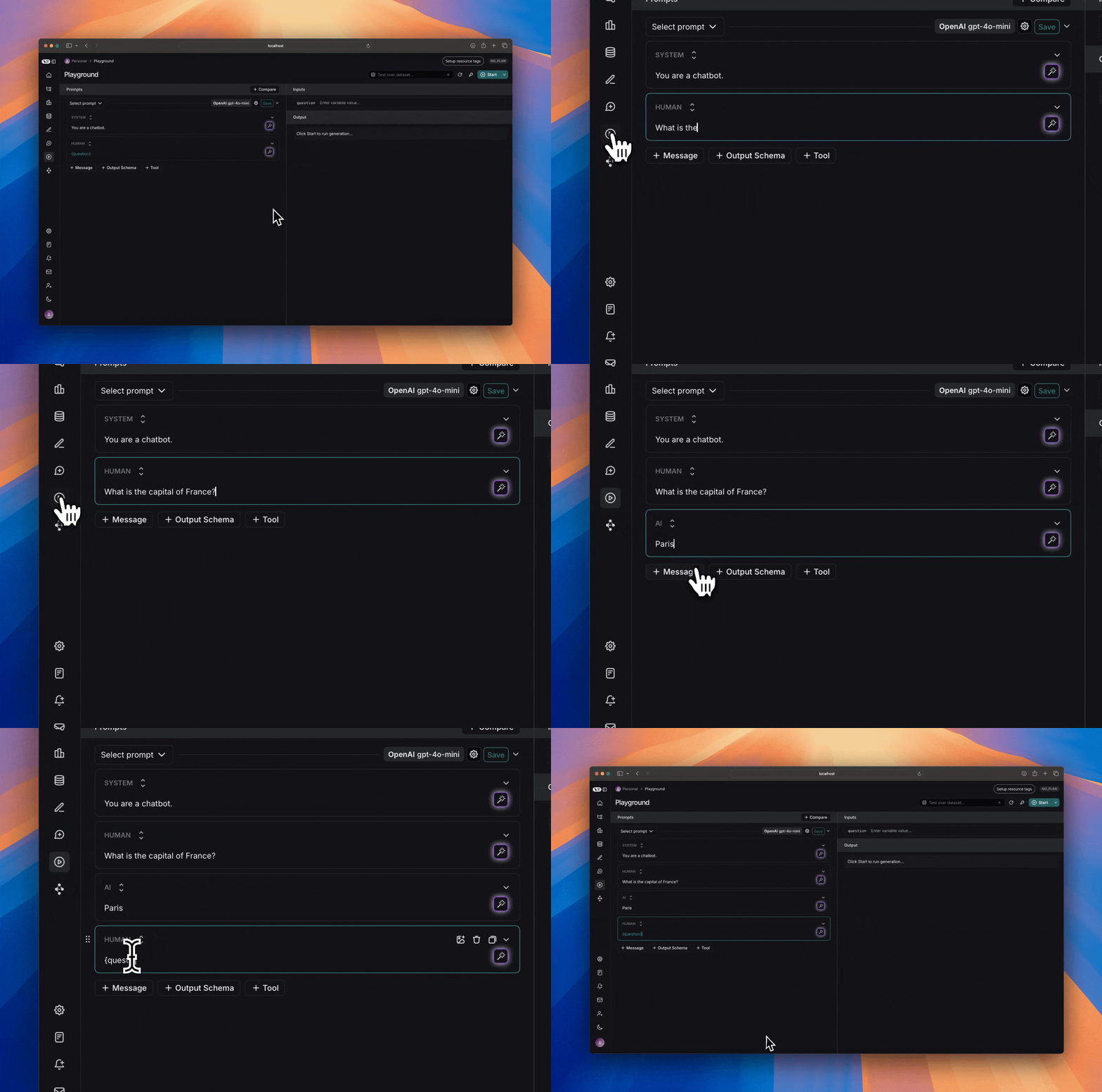 这种方法便于快速迭代,但由于多轮对话是硬编码的,灵活性较差。相反,如果您希望提示能适用于任何多轮对话,可以添加一个“消息列表”变量,并将您的多轮对话放在其中:
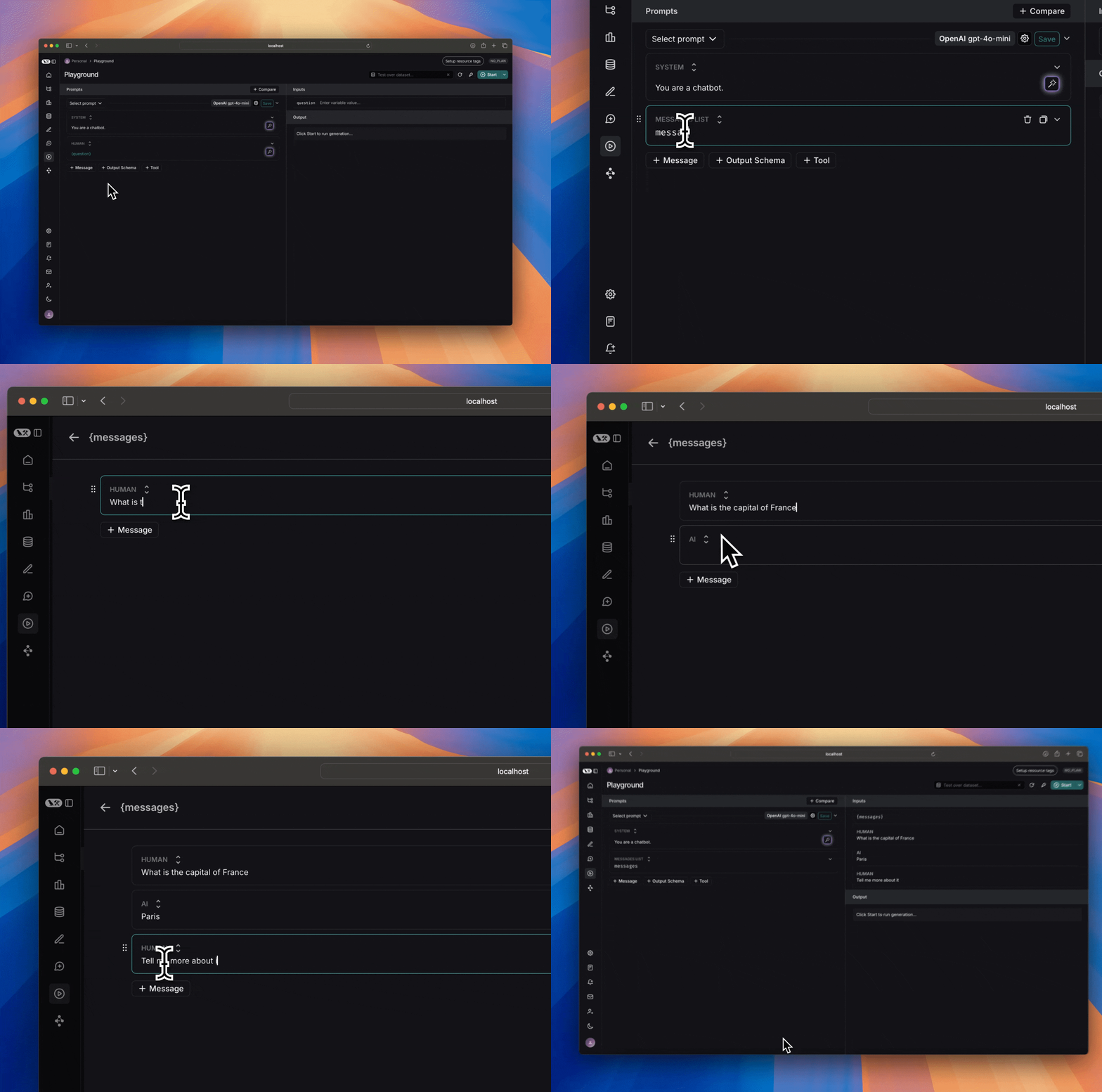 这样,您只需调整系统提示或工具,同时允许任何多轮对话替换 `消息列表` 变量,从而可以在不同运行中复用此提示。
## 后续步骤
现在您已了解如何在 Playground 中设置多轮交互,您可以手动检查和判断输出结果,也可以[添加评估器](/langsmith/code-evaluator-ui)对结果进行分类。
您还可以阅读[这些操作指南](/langsmith/create-a-prompt),进一步了解如何使用 Playground 运行评估。
***
这样,您只需调整系统提示或工具,同时允许任何多轮对话替换 `消息列表` 变量,从而可以在不同运行中复用此提示。
## 后续步骤
现在您已了解如何在 Playground 中设置多轮交互,您可以手动检查和判断输出结果,也可以[添加评估器](/langsmith/code-evaluator-ui)对结果进行分类。
您还可以阅读[这些操作指南](/langsmith/create-a-prompt),进一步了解如何使用 Playground 运行评估。
***