> ## Documentation Index
> Fetch the complete documentation index at: https://langchain-zh.cn/llms.txt
> Use this file to discover all available pages before exploring further.
# 沙箱预热池
> 预置沙箱以实现更快的执行速度,并自动补充池中实例。
沙盒处于私有预览阶段。随着迭代,API 和功能可能会发生变化。[加入等待名单](https://www.langchain.com/langsmith-sandboxes-waitlist?ref=docs.langchain.com) 以获取访问权限。
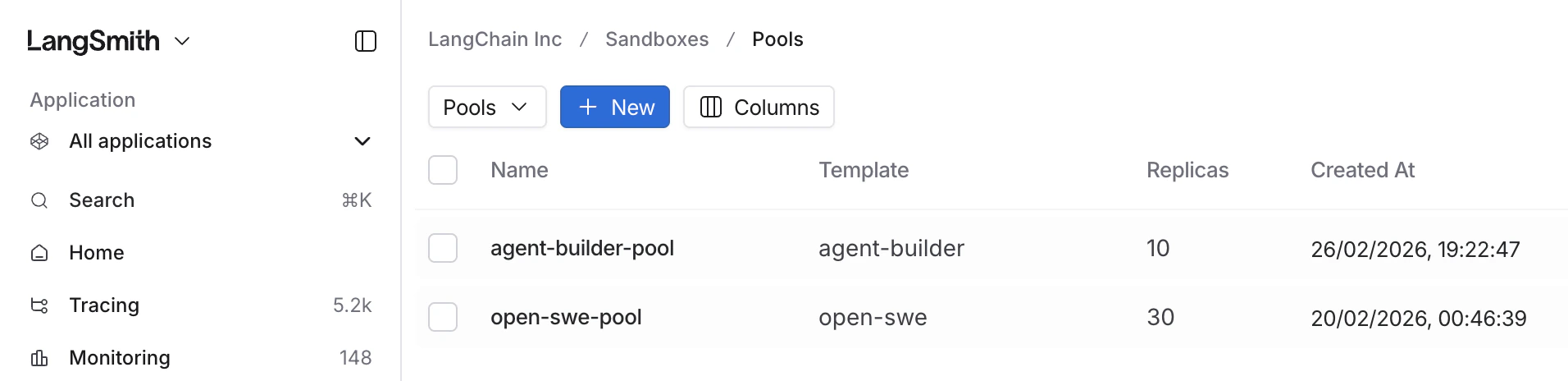
预热池允许您预置沙箱,使其立即可用。当池中的沙箱被消耗或删除时,系统会自动创建一个新的沙箱,以维持所需的池大小。
 ## 何时使用预热池
预热池非常适合以下工作负载:
* **快速隔离交互**——通过使用预置的沙箱,跳过容器启动时间
* **每次执行都需全新状态**——每个沙箱都从模板开始,保持初始状态
## 池的工作原理
1. 您创建一个与[模板](/langsmith/sandbox-templates)关联的池,并指定所需的大小。
2. 池会预先创建相应数量的沙箱实例。
3. 当您使用相同模板创建沙箱时,它会从池中取出。
4. 当沙箱被删除时,池会自动补充,以维持目标大小。
要使用池,请使用与池相同的模板创建沙箱。无需额外配置——系统会自动从可用的池实例中取出。
## 创建预热池
```python Python theme={"theme":{"light":"catppuccin-latte","dark":"catppuccin-mocha"}}
from langsmith.sandbox import SandboxClient
client = SandboxClient()
# 创建一个维持5个预置沙箱的池
client.create_pool(
name="python-pool",
template_name="python-sandbox",
size=5,
)
```
```ts TypeScript theme={"theme":{"light":"catppuccin-latte","dark":"catppuccin-mocha"}}
import { SandboxClient } from "langsmith/experimental/sandbox";
const client = new SandboxClient();
// 创建一个维持5个预置沙箱的池
await client.createPool("python-pool", {
templateName: "python-sandbox",
size: 5,
});
```
***
## 何时使用预热池
预热池非常适合以下工作负载:
* **快速隔离交互**——通过使用预置的沙箱,跳过容器启动时间
* **每次执行都需全新状态**——每个沙箱都从模板开始,保持初始状态
## 池的工作原理
1. 您创建一个与[模板](/langsmith/sandbox-templates)关联的池,并指定所需的大小。
2. 池会预先创建相应数量的沙箱实例。
3. 当您使用相同模板创建沙箱时,它会从池中取出。
4. 当沙箱被删除时,池会自动补充,以维持目标大小。
要使用池,请使用与池相同的模板创建沙箱。无需额外配置——系统会自动从可用的池实例中取出。
## 创建预热池
```python Python theme={"theme":{"light":"catppuccin-latte","dark":"catppuccin-mocha"}}
from langsmith.sandbox import SandboxClient
client = SandboxClient()
# 创建一个维持5个预置沙箱的池
client.create_pool(
name="python-pool",
template_name="python-sandbox",
size=5,
)
```
```ts TypeScript theme={"theme":{"light":"catppuccin-latte","dark":"catppuccin-mocha"}}
import { SandboxClient } from "langsmith/experimental/sandbox";
const client = new SandboxClient();
// 创建一个维持5个预置沙箱的池
await client.createPool("python-pool", {
templateName: "python-sandbox",
size: 5,
});
```
***
[Edit this page on GitHub](https://github.com/langchain-ai/docs/edit/main/src/i18n\zh-CN\langsmith\sandbox-warm-pools.mdx) or [file an issue](https://github.com/langchain-ai/docs/issues/new/choose).
[Connect these docs](/use-these-docs) to Claude, VSCode, and more via MCP for real-time answers.