> ## Documentation Index
> Fetch the complete documentation index at: https://langchain-zh.cn/llms.txt
> Use this file to discover all available pages before exploring further.
# 使用AI撰写提示词
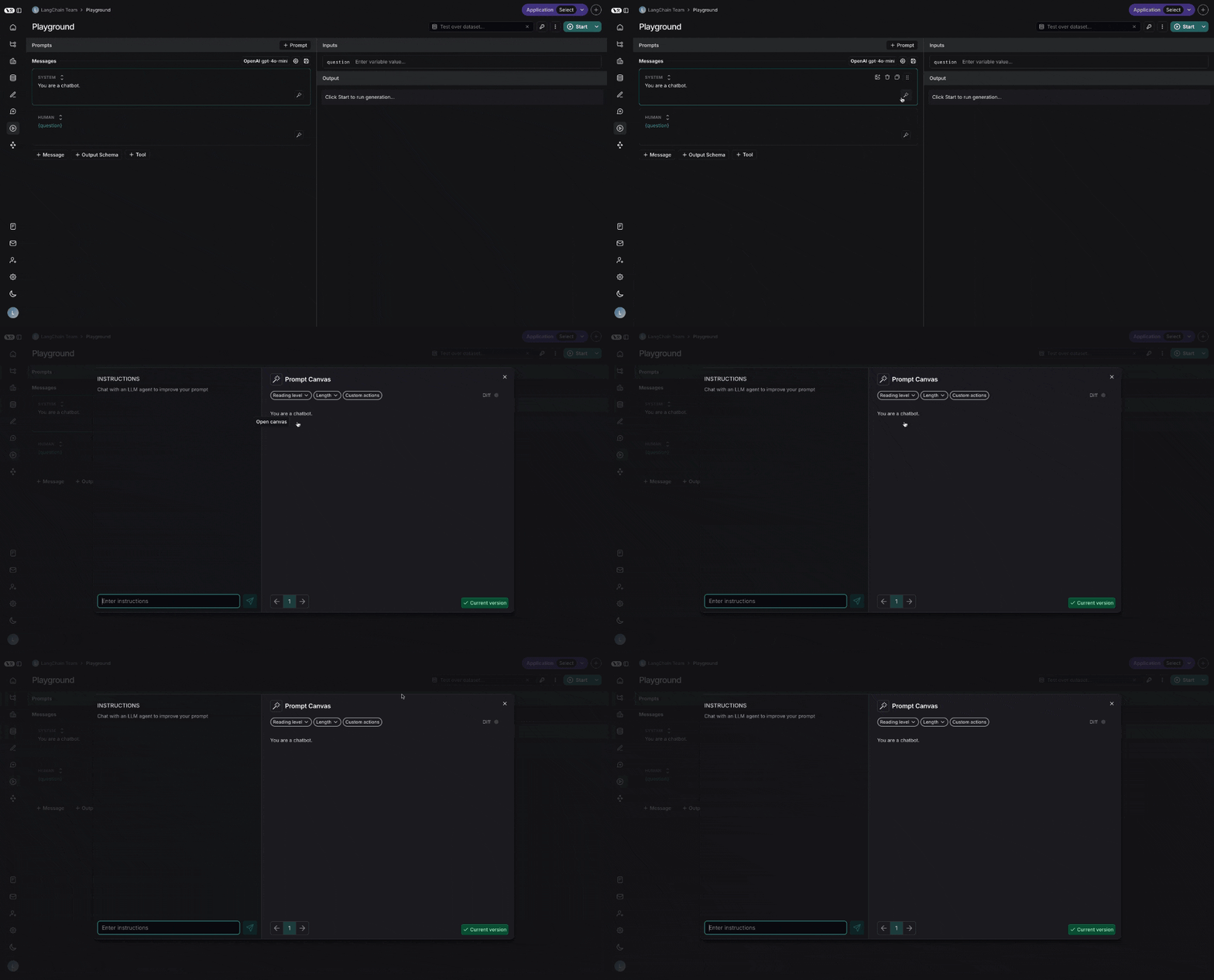
提示画布让您能够借助大语言模型轻松编辑提示词。这不仅能让您更快地迭代长篇提示词,还能更方便地对提示词进行整体风格或语调的调整。您可以通过点击提示中任意消息上方的发光魔杖图标进入提示画布:
## 聊天侧边栏
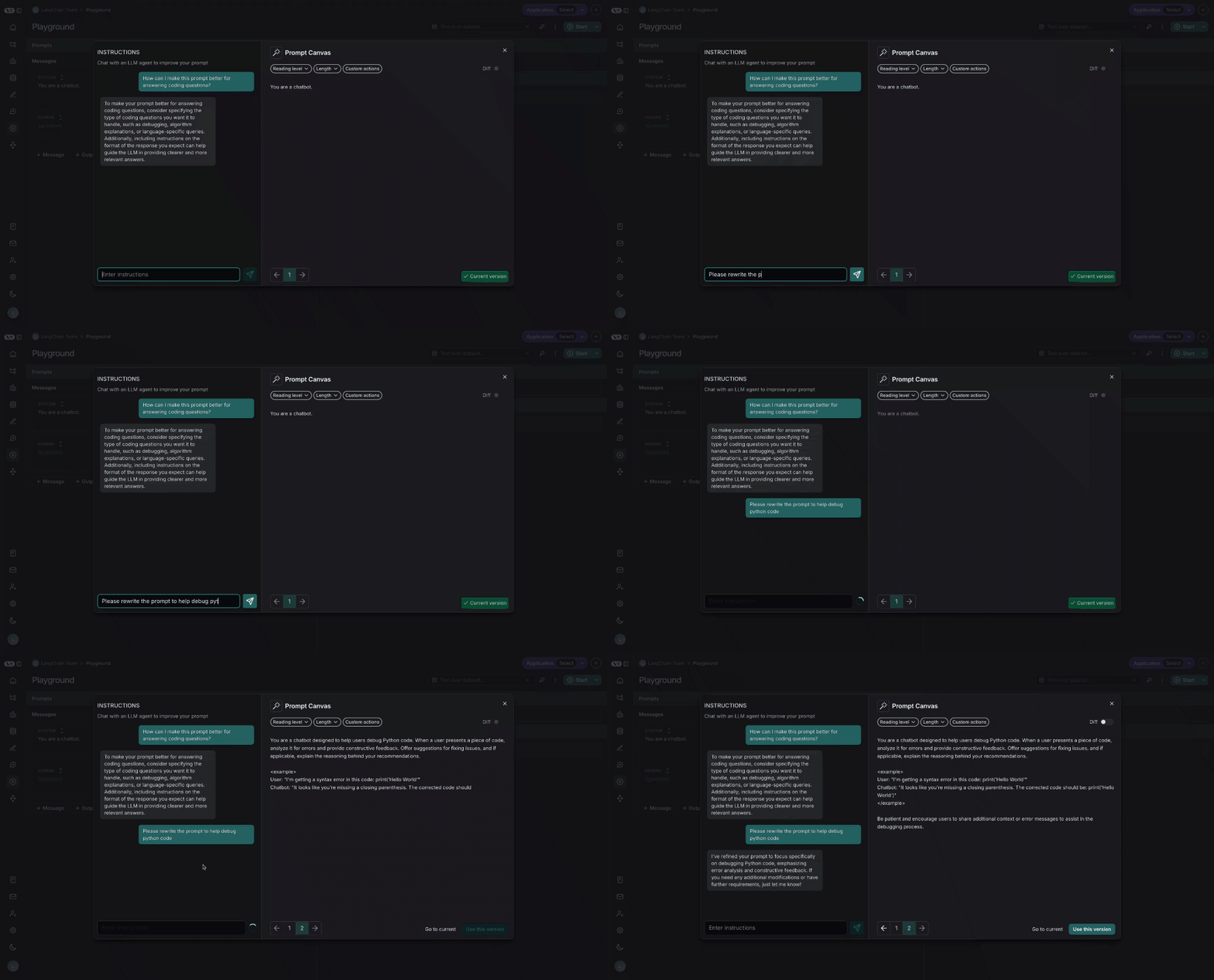
您可以使用聊天侧边栏来询问关于提示词的问题,或者用自然语言向大语言模型发出指令,指导它如何重写您的提示词。
您也可以直接编辑提示词——**不一定**要使用大语言模型。如果您清楚要做什么修改,并希望直接进行编辑,这会很有用。
## 快捷操作
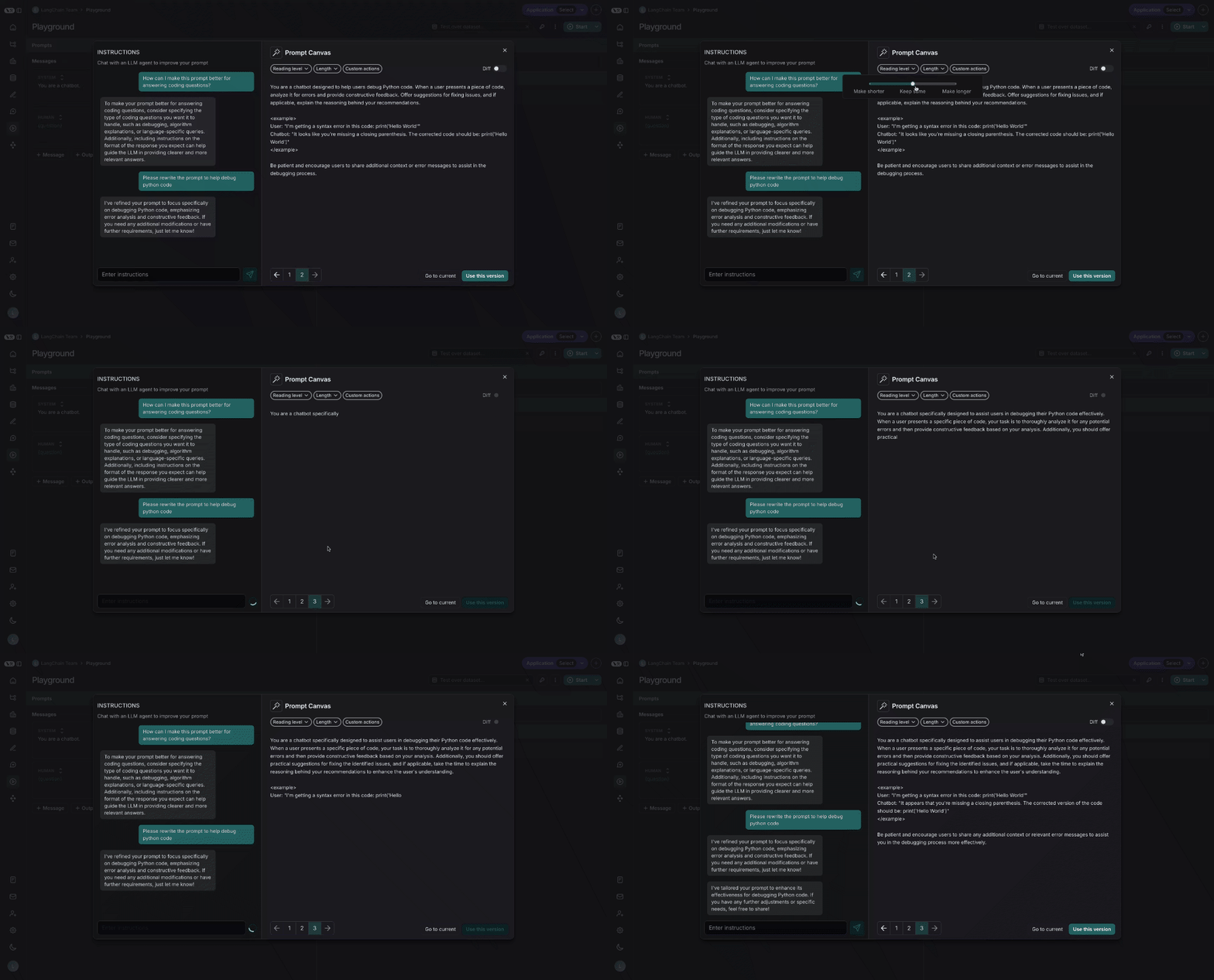
通过快捷操作,只需一次鼠标点击即可更改提示词的阅读难度或长度:
## 自定义快捷操作
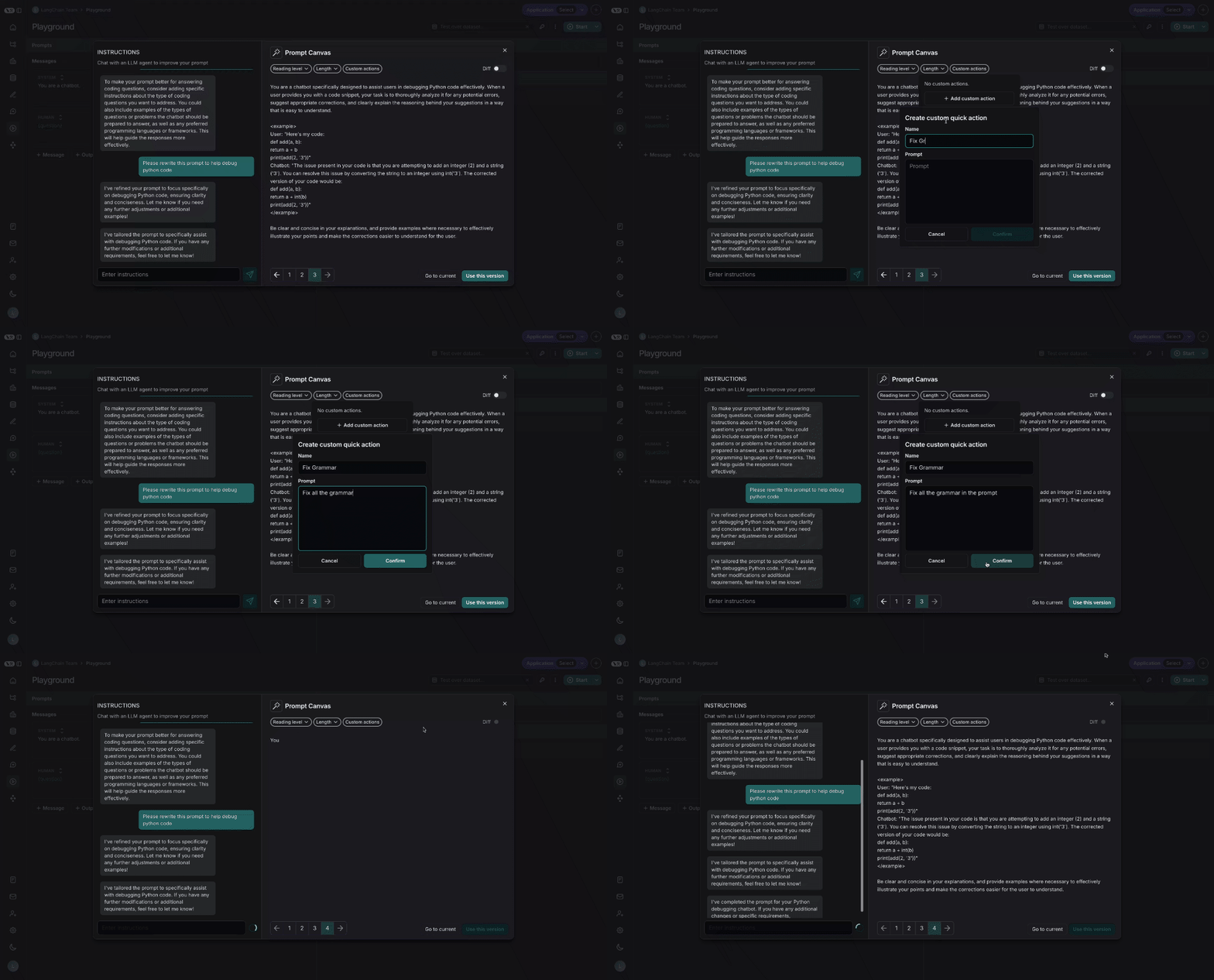
您还可以保存自己的自定义快捷操作,以便在LangSmith中处理所有提示词时都能方便地使用:
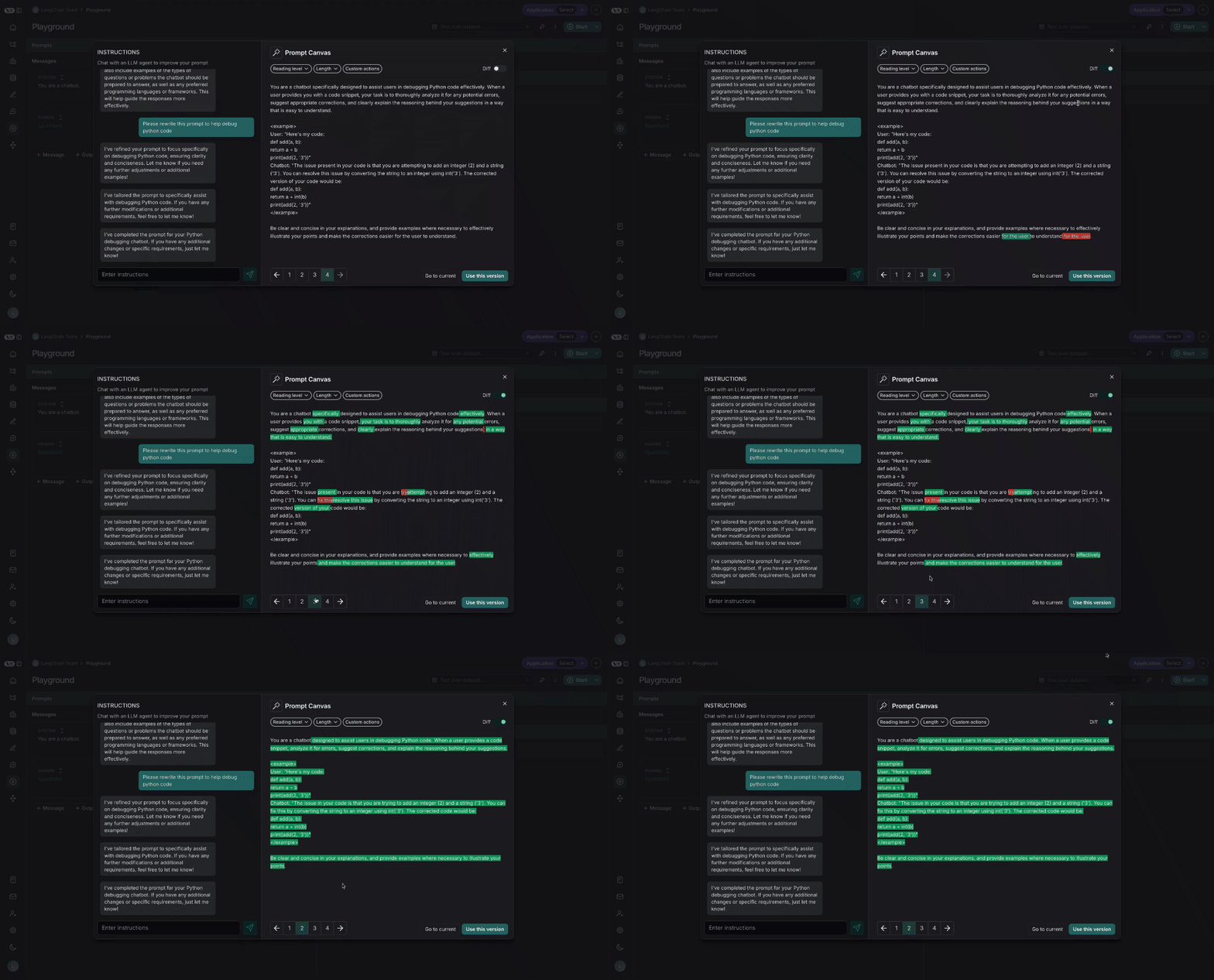
## 差异对比
您还可以通过选择画布右上角的差异对比滑块,查看提示词每个版本之间的具体差异:
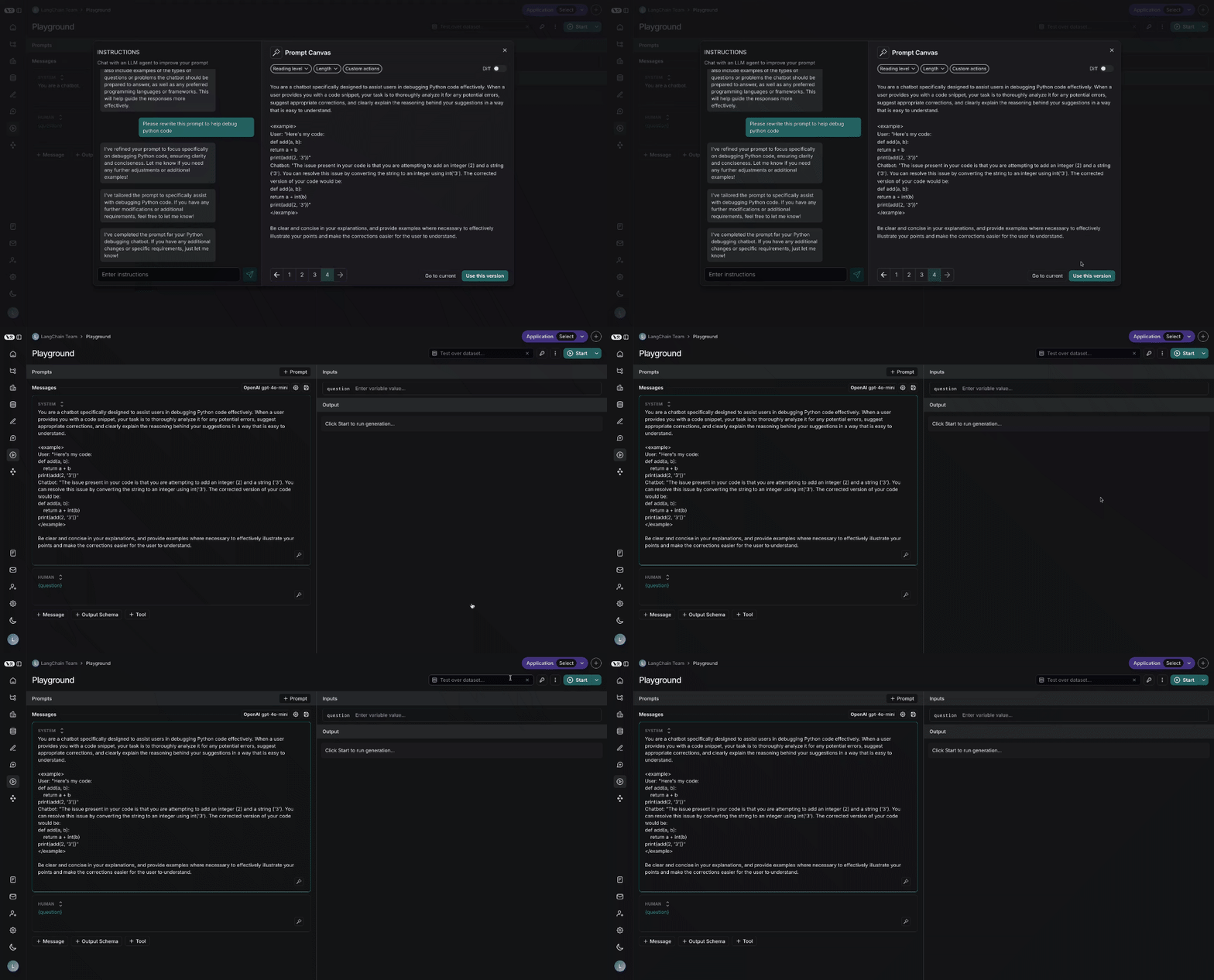
## 保存和使用提示词
最后,您可以通过点击右下角的“使用此版本”按钮,将画布中创建的提示词保存下来:
***
[Edit this page on GitHub](https://github.com/langchain-ai/docs/edit/main/src/i18n\zh-CN\langsmith\write-prompt-with-ai.mdx) or [file an issue](https://github.com/langchain-ai/docs/issues/new/choose).
[Connect these docs](/use-these-docs) to Claude, VSCode, and more via MCP for real-time answers.
 ## 聊天侧边栏
您可以使用聊天侧边栏来询问关于提示词的问题,或者用自然语言向大语言模型发出指令,指导它如何重写您的提示词。
## 聊天侧边栏
您可以使用聊天侧边栏来询问关于提示词的问题,或者用自然语言向大语言模型发出指令,指导它如何重写您的提示词。
 ## 自定义快捷操作
您还可以保存自己的自定义快捷操作,以便在LangSmith中处理所有提示词时都能方便地使用:
## 自定义快捷操作
您还可以保存自己的自定义快捷操作,以便在LangSmith中处理所有提示词时都能方便地使用:
 ## 差异对比
您还可以通过选择画布右上角的差异对比滑块,查看提示词每个版本之间的具体差异:
## 差异对比
您还可以通过选择画布右上角的差异对比滑块,查看提示词每个版本之间的具体差异:
 ## 保存和使用提示词
最后,您可以通过点击右下角的“使用此版本”按钮,将画布中创建的提示词保存下来:
## 保存和使用提示词
最后,您可以通过点击右下角的“使用此版本”按钮,将画布中创建的提示词保存下来:
 ***
***