

先决条件
开始之前,请确保您拥有:- LangSmith 账户:在 smith.langchain.com 注册或登录。
- LangSmith API 密钥:遵循 创建 API 密钥 指南。
- OpenAI API 密钥:从 OpenAI 控制台 生成。
- UI
- SDK
1. 设置工作区密钥
在 LangSmith UI 中,请确保您的 API 密钥已设置为 工作区机密。- 前往 设置,然后转到 机密 选项卡。
- 选择 添加机密,并输入密钥环境变量(例如,
OPENAI_API_KEY或ANTHROPIC_API_KEY)以及您的 API 密钥作为 值。 - 选择 保存机密。
在 LangSmith UI 中添加工作区机密时,请确保机密密钥与模型提供商预期的环境变量名称匹配。
2. 创建提示词
Playground 使得可以针对不同的提示词、新模型或测试不同的模型配置运行评估。- 在 LangSmith UI 中,点击侧边栏的 Playground。
-
在 Prompts 面板下,将 system 提示词修改为:
保持 Human 消息不变:
准确回答以下问题:{question}。
3. 创建数据集
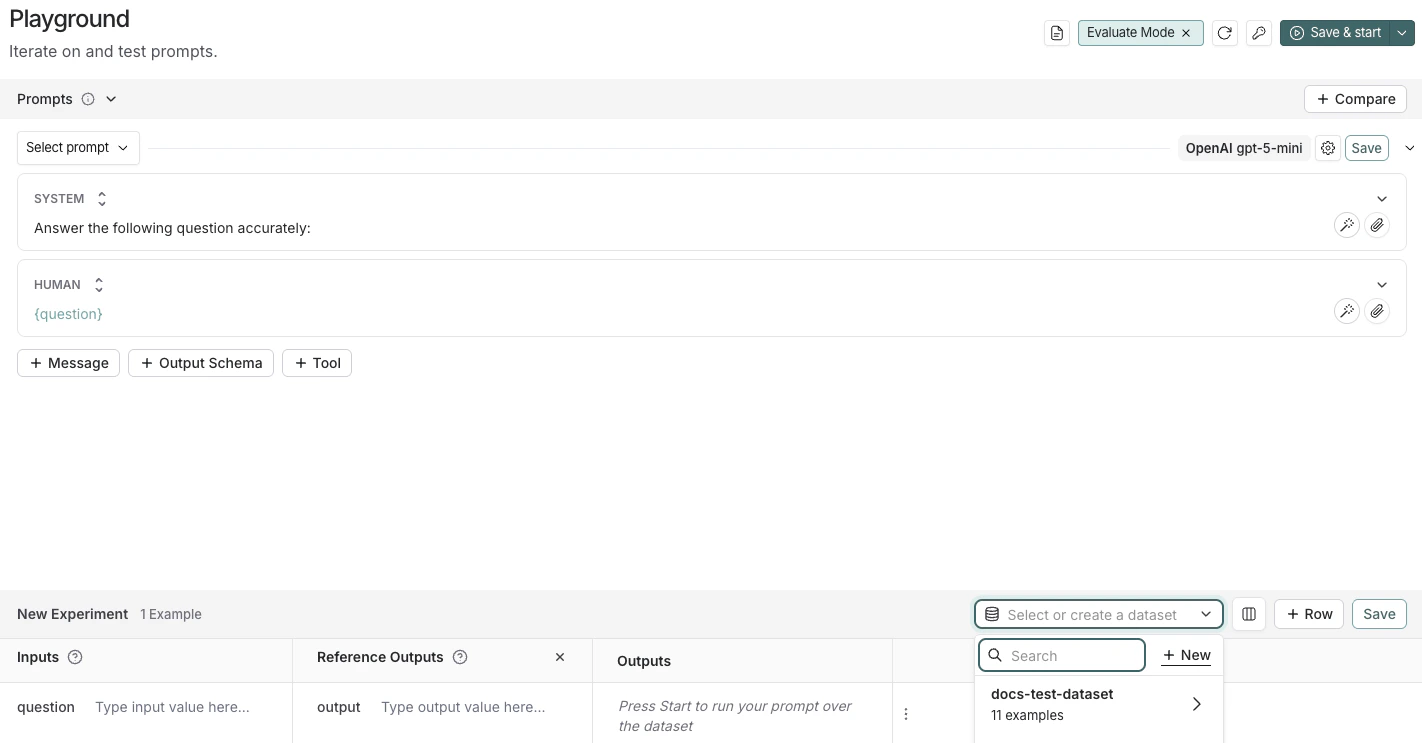
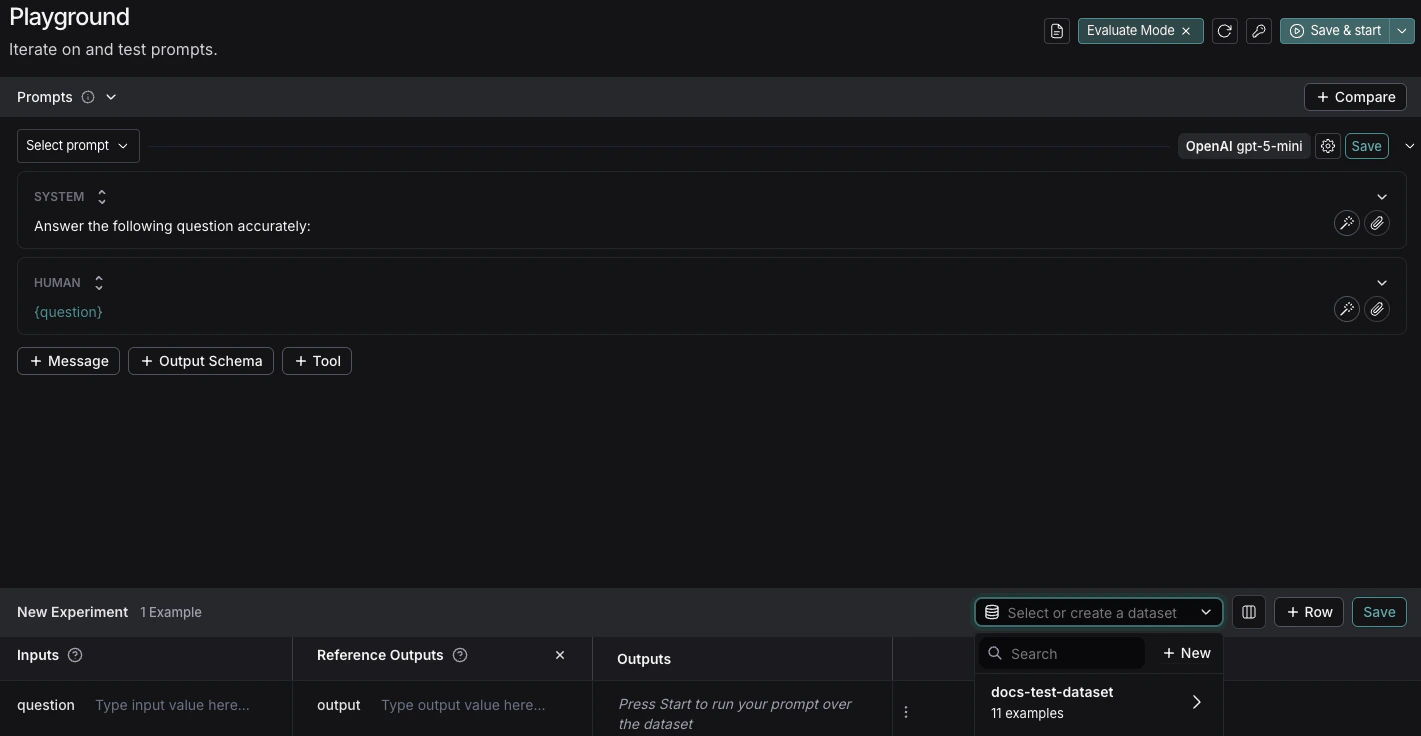
- 点击 Set up Evaluation,这将在页面底部打开一个 New Experiment 表格。
-
在 Select or create a new dataset 下拉菜单中,点击 + New 按钮创建一个新数据集。
-
将以下示例添加到数据集中:
输入 参考输出 question: 乞力马扎罗山位于哪个国家? output: 乞力马扎罗山位于坦桑尼亚。 question: 地球的最低点是什么? output: 地球的最低点是死海。 - 点击 Save 并输入名称以保存您新创建的数据集。
4. 添加评估器
- 点击 + Evaluator,从 Prebuilt Evaluator 选项中选择 Correctness。
- 在 Correctness 面板中,点击 Save。
5. 运行评估
-
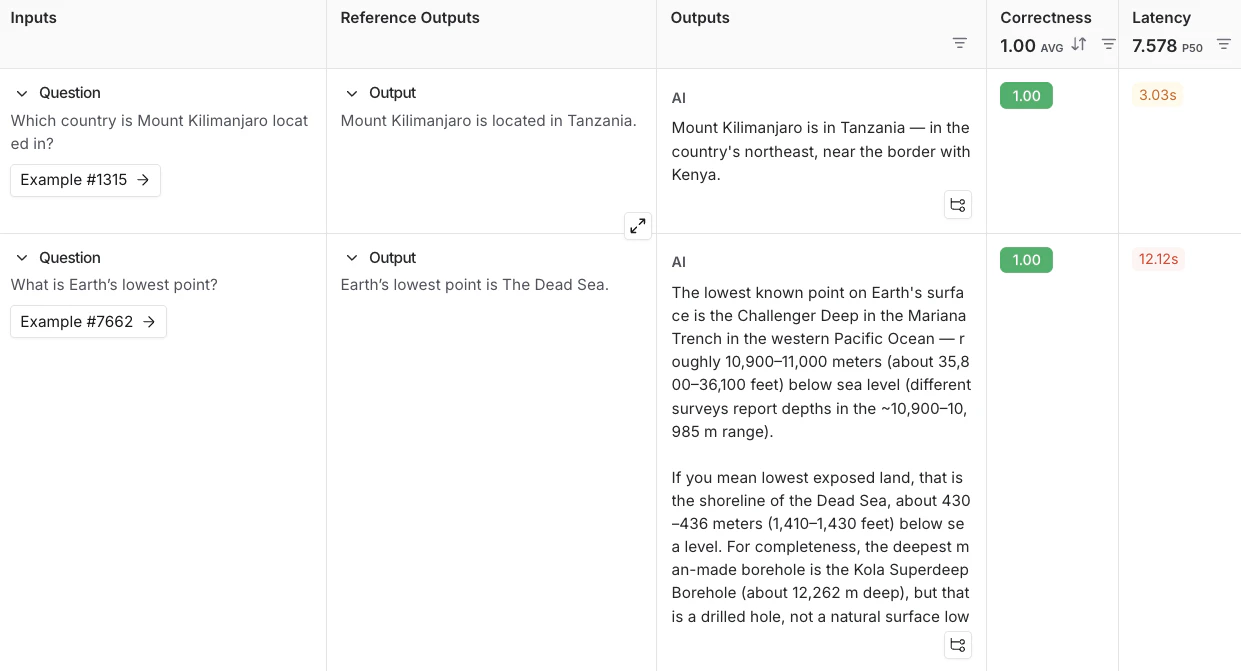
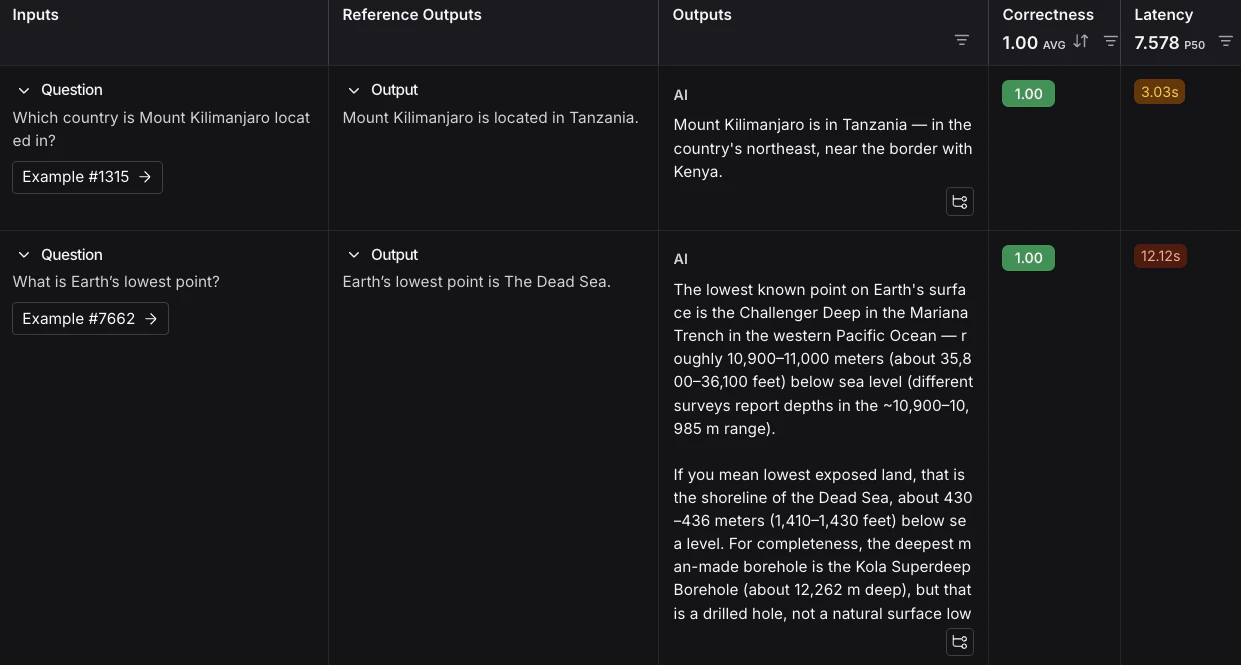
选择右上角的 Start 来运行您的评估。这将在 New Experiment 表格中创建一个带有预览的 实验。您可以点击实验名称查看完整视图。
后续步骤
要了解更多关于在 LangSmith 中运行实验的信息,请阅读 评估概念指南。
- 有关评估的更多详细信息,请参阅 评估文档。
- 学习如何在 UI 中 创建和管理数据集。
- 学习如何 从 Playground 运行评估。
本指南使用来自开源
openevals 包的预构建 LLM-as-judge 评估器。OpenEvals 包含一组常用的评估器,如果您是评估新手,这是一个很好的起点。如果您希望对评估应用的方式有更大的灵活性,也可以 定义完全自定义的评估器。1. 安装依赖项
在终端中,为您的项目创建一个目录并在您的环境中安装依赖项:mkdir ls-evaluation-quickstart && cd ls-evaluation-quickstart
python -m venv .venv && source .venv/bin/activate
python -m pip install --upgrade pip
pip install -U langsmith openevals openai
mkdir ls-evaluation-quickstart-ts && cd ls-evaluation-quickstart-ts
npm init -y
npm install langsmith openevals openai
npx tsc --init
如果您使用
yarn 作为包管理器,您还需要手动安装 @langchain/core 作为 openevals 的对等依赖项。这对于 LangSmith 评估来说通常不是必需的,您可以 使用任意自定义代码定义评估器。2. 设置环境变量
设置以下环境变量:LANGSMITH_TRACINGLANGSMITH_API_KEYOPENAI_API_KEY(或您的 LLM 提供商的 API 密钥)- (可选)
LANGSMITH_WORKSPACE_ID:如果您的 LangSmith API 密钥链接到多个 工作区,请设置此变量以指定使用哪个工作区。
export LANGSMITH_TRACING=true
export LANGSMITH_API_KEY="<your-langsmith-api-key>"
export OPENAI_API_KEY="<your-openai-api-key>"
export LANGSMITH_WORKSPACE_ID="<your-workspace-id>"
如果您使用 Anthropic,请使用 Anthropic 包装器 来追踪您的调用。对于其他提供商,请使用 可追踪包装器。
3. 创建数据集
-
创建一个文件并添加以下代码,它将:
- 导入
Client以连接到 LangSmith。 - 创建一个数据集。
- 定义示例 输入 和 输出。
- 在 LangSmith 中将输入和输出对与该数据集关联,以便在评估中使用。
# dataset.py
from langsmith import Client

def main():
    client = Client()

    # 以编程方式在 LangSmith 中创建数据集
    dataset = client.create_dataset(
        dataset_name="示例数据集",
        description="LangSmith 中的一个示例数据集。"
    )

    # 创建示例
    examples = [
        {
            "inputs": {"question": "乞力马扎罗山位于哪个国家?"},
            "outputs": {"answer": "乞力马扎罗山位于坦桑尼亚。"},
        },
        {
            "inputs": {"question": "地球的最低点是什么?"},
            "outputs": {"answer": "地球的最低点是死海。"},
        },
    ]

    # 将示例添加到数据集
    client.create_examples(dataset_id=dataset.id, examples=examples)
    print("已创建数据集:", dataset.name)

if __name__ == "__main__":
    main()
// dataset.ts import { Client } from "langsmith"; async function main() { const client = new Client(); const dataset = await client.createDataset( "示例数据集", { description: "LangSmith 中的一个示例数据集。" } ); // 定义示例 const inputs = [ { question: "乞力马扎罗山位于哪个国家?" }, { question: "地球的最低点是什么?" }, ]; const outputs = [ { answer: "乞力马扎罗山位于坦桑尼亚。" }, { answer: "地球的最低点是死海。" }, ]; await client.createExamples({ datasetId: dataset.id, inputs, outputs, }); console.log("已创建数据集:", dataset.name); } if (require.main === module) { main().catch((e) => { console.error(e); process.exit(1); }); } - 导入
-
在终端中,运行
dataset文件以创建将用于评估应用的数据集:您将看到以下输出:python dataset.pynpx ts-node dataset.ts已创建数据集:示例数据集
4. 创建目标函数
定义一个包含您要评估内容的 目标函数。在本指南中,您将定义一个包含单个 LLM 调用来回答问题的目标函数。将以下内容添加到eval 文件中:# eval.py
from langsmith import Client, wrappers
from openai import OpenAI
# 包装 OpenAI 客户端以进行 LangSmith 追踪
openai_client = wrappers.wrap_openai(OpenAI())
# 在目标函数内部定义您要评估的应用逻辑
# SDK 将自动将数据集中的输入发送到您的目标函数
def target(inputs: dict) -> dict:
response = openai_client.chat.completions.create(
model="gpt-5-mini",
messages=[
{"role": "system", "content": "准确回答以下问题"},
{"role": "user", "content": inputs["question"]},
],
)
return {"answer": response.choices[0].message.content.strip()}
// eval.ts
import { evaluate } from "langsmith/evaluation";
import { wrapOpenAI } from "langsmith/wrappers/openai";
import OpenAI from "openai";

const openaiClient = wrapOpenAI(new OpenAI());

async function target(inputs: Record<string, any>): Promise<Record<string, any>> {
  const question = String(inputs.question ?? "");
  const resp = await openaiClient.chat.completions.create({
    model: "gpt-5-mini",
    messages: [
      { role: "system", content: "准确回答以下问题" },
      { role: "user", content: question },
    ],
  });
  return { answer: resp.choices[0].message.content?.trim() ?? "" };
}
5. 定义评估器
在此步骤中,您将告诉 LangSmith 如何对应用生成的答案进行评分。从openevals 导入一个预构建的评估提示词 (CORRECTNESS_PROMPT) 和一个将其包装成 LLM-as-judge 评估器 的辅助函数,该评估器将对应用的输出进行评分。CORRECTNESS_PROMPT 只是一个包含 "inputs"、"outputs" 和 "reference_outputs" 变量的 f-string。有关更多信息,请参阅 自定义 OpenEvals 提示词。inputs:传递给目标函数的内容(例如,问题文本)。outputs:目标函数返回的内容(例如,模型的答案)。reference_outputs:您在 步骤 3 中附加到每个数据集示例的基准真实答案。
eval 文件中:from langsmith import Client, wrappers
from openai import OpenAI
from openevals.llm import create_llm_as_judge
from openevals.prompts import CORRECTNESS_PROMPT
# 包装 OpenAI 客户端以进行 LangSmith 追踪
openai_client = wrappers.wrap_openai(OpenAI())
# 在目标函数内部定义您要评估的应用逻辑
# SDK 将自动将数据集中的输入发送到您的目标函数
def target(inputs: dict) -> dict:
response = openai_client.chat.completions.create(
model="gpt-5-mini",
messages=[
{"role": "system", "content": "准确回答以下问题"},
{"role": "user", "content": inputs["question"]},
],
)
return {"answer": response.choices[0].message.content.strip()}
def correctness_evaluator(inputs: dict, outputs: dict, reference_outputs: dict):
evaluator = create_llm_as_judge(
prompt=CORRECTNESS_PROMPT,
model="openai:o3-mini",
feedback_key="correctness",
)
return evaluator(
inputs=inputs,
outputs=outputs,
reference_outputs=reference_outputs
)
import { evaluate } from "langsmith/evaluation";
import { wrapOpenAI } from "langsmith/wrappers/openai";
import OpenAI from "openai";
import { createLLMAsJudge, CORRECTNESS_PROMPT } from "openevals";

const openaiClient = wrapOpenAI(new OpenAI());

async function target(inputs: Record<string, any>): Promise<Record<string, any>> {
  const question = String(inputs.question ?? "");
  const resp = await openaiClient.chat.completions.create({
    model: "gpt-5-mini",
    messages: [
      { role: "system", content: "准确回答以下问题" },
      { role: "user", content: question },
    ],
  });
  return { answer: resp.choices[0].message.content?.trim() ?? "" };
}

const judge = createLLMAsJudge({
  prompt: CORRECTNESS_PROMPT,
  model: "openai:o3-mini",
  feedbackKey: "correctness",
});

async function correctnessEvaluator(run: {
  inputs: Record<string, any>;
  outputs: Record<string, any>;
  referenceOutputs?: Record<string, any>;
}) {
  return judge({
    inputs: run.inputs,
    outputs: run.outputs,
    // OpenEvals 期望此处使用 snake_case:
    reference_outputs: run.referenceOutputs,
  });
}
6. 运行并查看结果
要运行评估实验,您将调用evaluate(...),它会:- 从您在 步骤 3 创建的数据集中拉取示例。
- 将每个示例的输入发送到您在 步骤 4 定义的目标函数。
- 收集输出(模型的答案)。
- 将输出与
reference_outputs一起传递给您在 步骤 5 定义的评估器。 - 将所有结果作为实验记录在 LangSmith 中,以便您可以在 UI 中查看它们。
-
将高亮代码添加到您的
eval文件中:from langsmith import Client, wrappers from openai import OpenAI from openevals.llm import create_llm_as_judge from openevals.prompts import CORRECTNESS_PROMPT # 包装 OpenAI 客户端以进行 LangSmith 追踪 openai_client = wrappers.wrap_openai(OpenAI()) # 在目标函数内部定义您要评估的应用逻辑 # SDK 将自动将数据集中的输入发送到您的目标函数 def target(inputs: dict) -> dict: response = openai_client.chat.completions.create( model="gpt-5-mini", messages=[ {"role": "system", "content": "准确回答以下问题"}, {"role": "user", "content": inputs["question"]}, ], ) return {"answer": response.choices[0].message.content.strip()} def correctness_evaluator(inputs: dict, outputs: dict, reference_outputs: dict): evaluator = create_llm_as_judge( prompt=CORRECTNESS_PROMPT, model="openai:o3-mini", feedback_key="correctness", ) return evaluator( inputs=inputs, outputs=outputs, reference_outputs=reference_outputs ) # 运行评估后,将提供一个链接以在 langsmith 中查看结果 def main(): client = Client() experiment_results = client.evaluate( target, data="示例数据集", evaluators=[ correctness_evaluator, # 可以在此处添加多个评估器 ], experiment_prefix="langsmith 中的首次评估", max_concurrency=2, ) print(experiment_results) if __name__ == "__main__": main()import { evaluate } from "langsmith/evaluation"; import { wrapOpenAI } from "langsmith/wrappers/openai"; // 包装 OpenAI 客户端的辅助函数 import OpenAI from "openai"; // 模型提供商 import { createLLMAsJudge, CORRECTNESS_PROMPT } from "openevals"; // 评估器工具 const openaiClient = wrapOpenAI(new OpenAI()); async function target(inputs: Record<string, any>): Promise<Record<string, any>> { const question = String(inputs.question ?? ""); const resp = await openaiClient.chat.completions.create({ model: "gpt-5-mini", messages: [ { role: "system", content: "准确回答以下问题" }, { role: "user", content: question }, ], }); return { answer: resp.choices[0].message.content?.trim() ?? "" }; } const judge = createLLMAsJudge({ prompt: CORRECTNESS_PROMPT, model: "openai:o3-mini", feedbackKey: "correctness", }); async function correctnessEvaluator(run: { inputs: Record<string, any>; outputs: Record<string, any>; referenceOutputs?: Record<string, any>; }) { return judge({ inputs: run.inputs, outputs: run.outputs, // OpenEvals 期望此处使用 snake_case: reference_outputs: run.referenceOutputs, }); } async function main() { const datasetName = process.env.DATASET_NAME ?? "示例数据集"; const results = await evaluate(target, { data: datasetName, evaluators: [correctnessEvaluator], experimentPrefix: "langsmith 中的首次评估", maxConcurrency: 2, }); console.log(results); } if (require.main === module) { main().catch((e) => { console.error(e); process.exit(1); }); } -
运行您的评估器:
python eval.pynpx ts-node eval.ts -
您将收到一个链接以查看评估结果以及实验结果的元数据:
查看实验 'langsmith 中的首次评估-00000000' 的评估结果:https://smith.langchain.com/o/6551f9c4-2685-4a08-86b9-1b29643deb3d/datasets/e5fde557-c274-4e49-b39d-000000000000/compare?selectedSessions=70b11778-6a28-4cdb-be81-000000000000 <ExperimentResults langsmith 中的首次评估-00000000> -
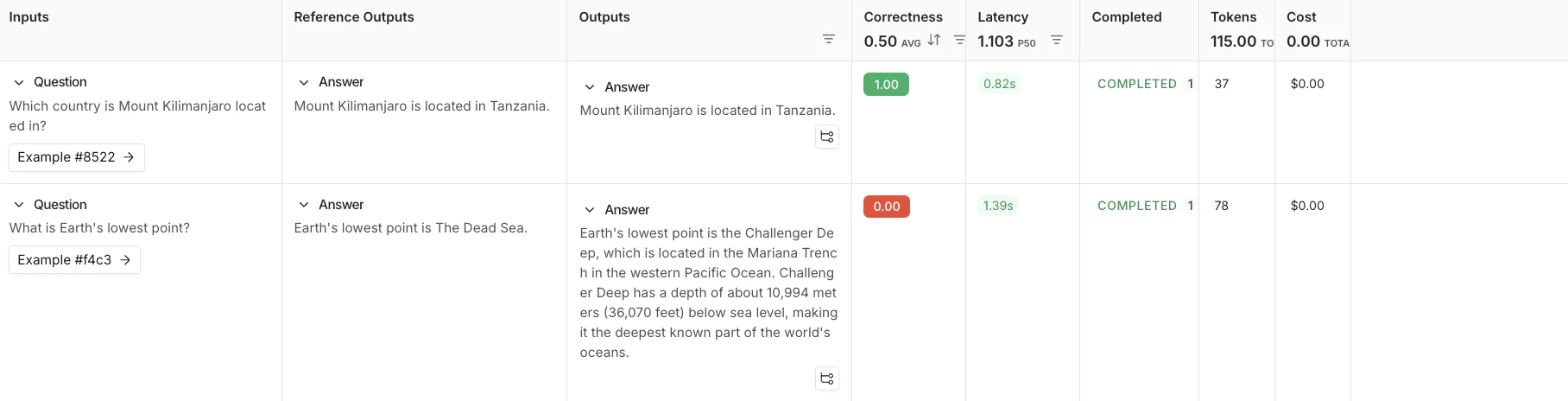
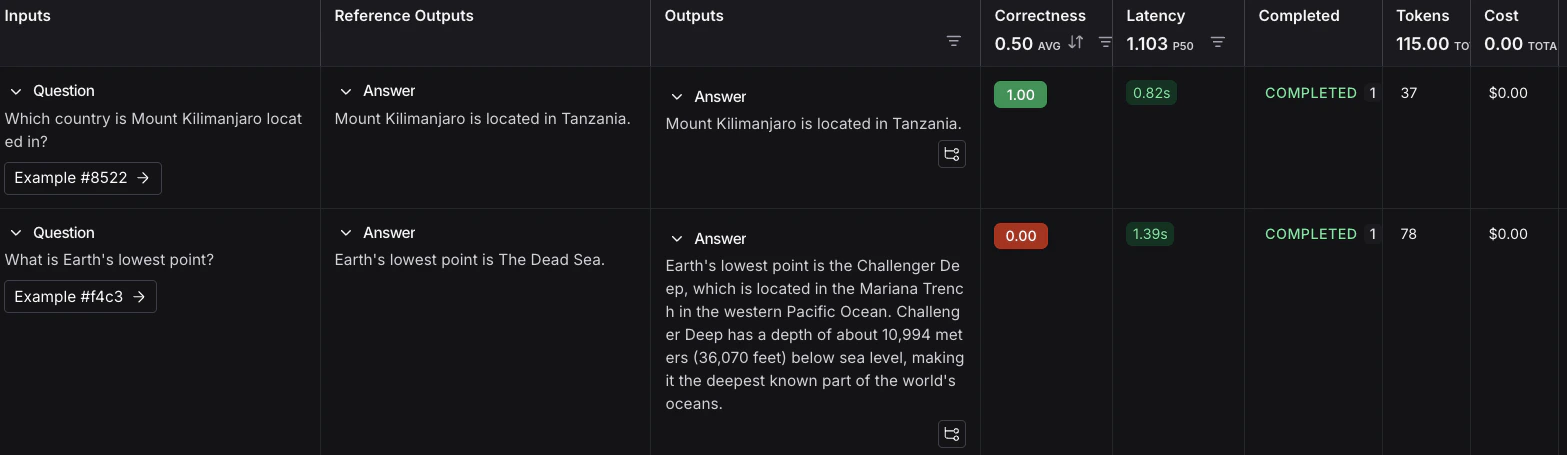
按照评估运行输出中的链接,访问 LangSmith UI 中的 Datasets & Experiments 页面,并探索实验的结果。这将引导您到创建的实验,其中表格显示 Inputs、Reference Output 和 Outputs。您可以选择一个数据集以打开结果的展开视图。
后续步骤
以下是一些您可能想要接下来探索的主题:- 评估概念 提供了 LangSmith 中评估关键术语的描述。
- OpenEvals README 查看所有可用的预构建评估器以及如何自定义它们。
- 定义自定义评估器。
- Python 或 TypeScript SDK 参考,获取每个类和函数的全面描述。
Connect these docs to Claude, VSCode, and more via MCP for real-time answers.